K–12 EdTech Case study
TurtlEd
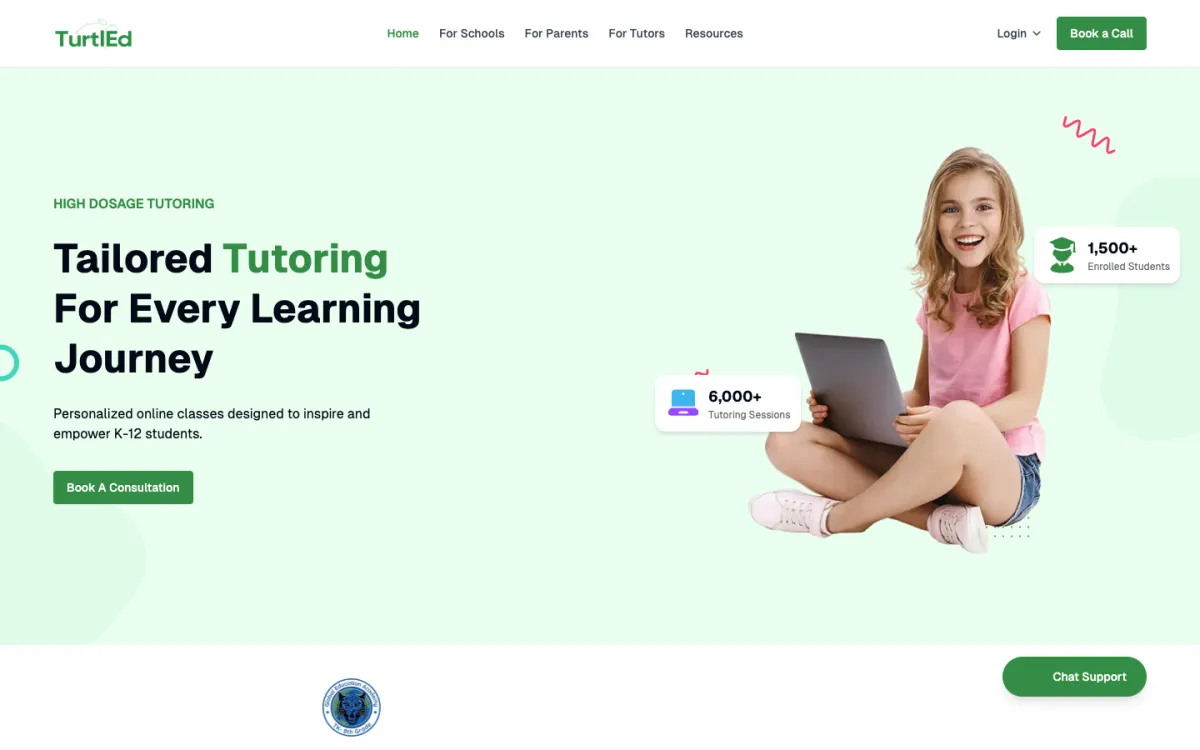
Personalized English and mathematics tutoring through one-to-one and small-group live sessions.
K–12 EdTech
TurtlEd TurtlEd
Lead Engineer
System map · Operational ecosystem
Engineering scope
- One session model Group and individual lessons never branch the calendar
- Attendance observed Embedded video rather than an external meeting link
Session lifecycle
Schedule
One session model, group or individual
Remind
Calendars synchronised
Teach
Embedded video, inside the platform
Record
Attendance observed, not self-reported
Report
Answered from what the system saw
Who the platform serves
- Students
- Tutors
- Parents
- Administrators
Engineering
Role-based dashboards · Scheduling · Jitsi · Live learning workflows
Public product · Proprietary source code
- Role
- Lead Engineer
- Disclosure
- Public product · Proprietary source code
- Links
- Product website
The problem
What the system had to solve.
A tutoring session involves a student and a tutor, but the platform serves two more people who are never in the room: a parent who is paying and wants to know it is working, and a school coordinating scheduling and coverage across many students.
Each needs a different view of the same lesson, and the platform has to hold one-to-one and small-group teaching in one model without treating groups as a special case.
What I owned
The responsibility behind the work.
Led engineering for the company website and the core learning platform: the administrator, tutor and student surfaces, scheduling and classroom workflows, and the domain model underneath them.
Led engineering for the company website and core learning platform, including administrator, teacher and student dashboards, scheduling, classroom-management workflows and embedded Jitsi video calling.
Engineering approach
How it was built.
The backend is organised into domain modules rather than technical layers, with group and individual lessons sharing one session model so calendars, attendance and reporting never branch on lesson type. Live sessions run on embedded video rather than external meeting links, which lets the platform observe attendance instead of relying on it being reported, and scheduling synchronises to tutors’ own calendars with reminders and recurrence handled as background work.
Session lifecycle
- Schedule
- Remind
- Teach
- Record
- Report
Four people in every lesson
Who a tutoring platform actually serves.
A tutoring session involves a student and a tutor, but the platform serves two more people who are never in the room. A parent is paying and wants to know it is working. A school or administrator is responsible for scheduling, coverage and outcomes across many students at once.
Each of those four needs a different view of the same lesson, and only one of them is the person being taught.
Who the platform serves
In the lesson
- Students
- Tutors
Around the lesson
- Parents
- Schools and administrators
The domain model
Modules shaped like the business, not the framework.
The backend is organised into domain modules rather than technical layers, so scheduling, attendance or reporting is one place in the codebase instead of a slice through four. The model has to hold both one-to-one tutoring and small-group sessions without treating a group as a special case bolted onto an individual lesson.
Domain areas
People
- Students
- Tutors
- Parents
- Schools
- Administrators
Teaching
- Subjects
- Groups
- Class sessions
- Meetings
- Attendance
Around it
- Scheduling
- Announcements
- Insights
- Tagging
Groups and individual sessions share the same session model. A tutor’s calendar, an attendance record and a parent’s view of progress should not need to know which kind a lesson was.
The lesson itself
Video embedded in the product, not linked from it.
Live sessions run inside the platform through embedded video rather than by sending a link to an external meeting tool. That is a deliberate product decision with an architectural consequence: the platform owns the session, so it knows who joined, when, and for how long.
Why embedded
External meeting link
- Platform has no view of the session
- Attendance is self-reported
- Joining is a separate product
- No link between session and record
Embedded video
- Session belongs to a class record
- Attendance observed
- One place for students to be
- Scheduling and joining are the same flow
Scheduling and calendars
The coordination problem underneath tutoring.
Scheduling has to satisfy a tutor’s availability, a student’s timetable and a parent’s expectations at once, and then survive changes to any of them. Sessions synchronise to external calendars so a tutor is not maintaining their availability in two places and reconciling it by hand.
Session lifecycle
- Session scheduled
- Calendar synchronised
- Reminders sent
- Session takes place
- Attendance recorded
- Progress and insights updated
Scheduled background work handles what should not happen inside a request: reminders, calendar synchronisation and recurring session generation.
Separate applications per role
A tutor and an administrator do not share a screen.
Tutors and administrators have their own applications against the same API. A tutor needs today’s sessions, their students and a way into the classroom. An administrator needs coverage, scheduling across many tutors, and reporting. Combining those into one interface with hidden sections serves neither.
Clients
- API One domain model and permission set
- Tutor application Sessions, students, classroom
- Administrative application Scheduling, coverage, reporting
- Public site Discovery and enrolment
Insights and reporting
Answering the question a parent is actually asking.
The question behind a tutoring subscription is whether it is working. Answering it means aggregating attendance, session history and progress across time rather than showing a list of past lessons, which is a reporting concern separate from the operational data it reads.
What reporting draws on
- Attendance records
- Session history
- Subject and group context
- Tagging for categorisation
Engineering scope
What I worked on.
- Administrator, teacher and student dashboards
- Scheduling and classroom-management workflows
- Learning and tutoring operations
- Embedded Jitsi live video sessions
- Company website and core platform delivery
Why these decisions mattered
The trade-offs behind the platform.
Embedded video, not external links
One session model for groups and individuals
Domain modules over technical layers
External calendar synchronisation
Role-specific applications
Background work for anything periodic
Impact
What the platform holds together.
Scheduling, live teaching, attendance and reporting operate on the same records, so a parent’s question about progress is answered from what the system observed rather than from what someone remembered to enter.
Technology
The technical surface.
- Role-based dashboards
- Scheduling
- Jitsi
- Live learning workflows